5-hour limit
The green ring.
See the short-window reserve you have left before Codex needs time to reset.
CodexReserve puts your 5-hour and weekly Codex limits in the menu bar. No dashboard. No account. No configuration.
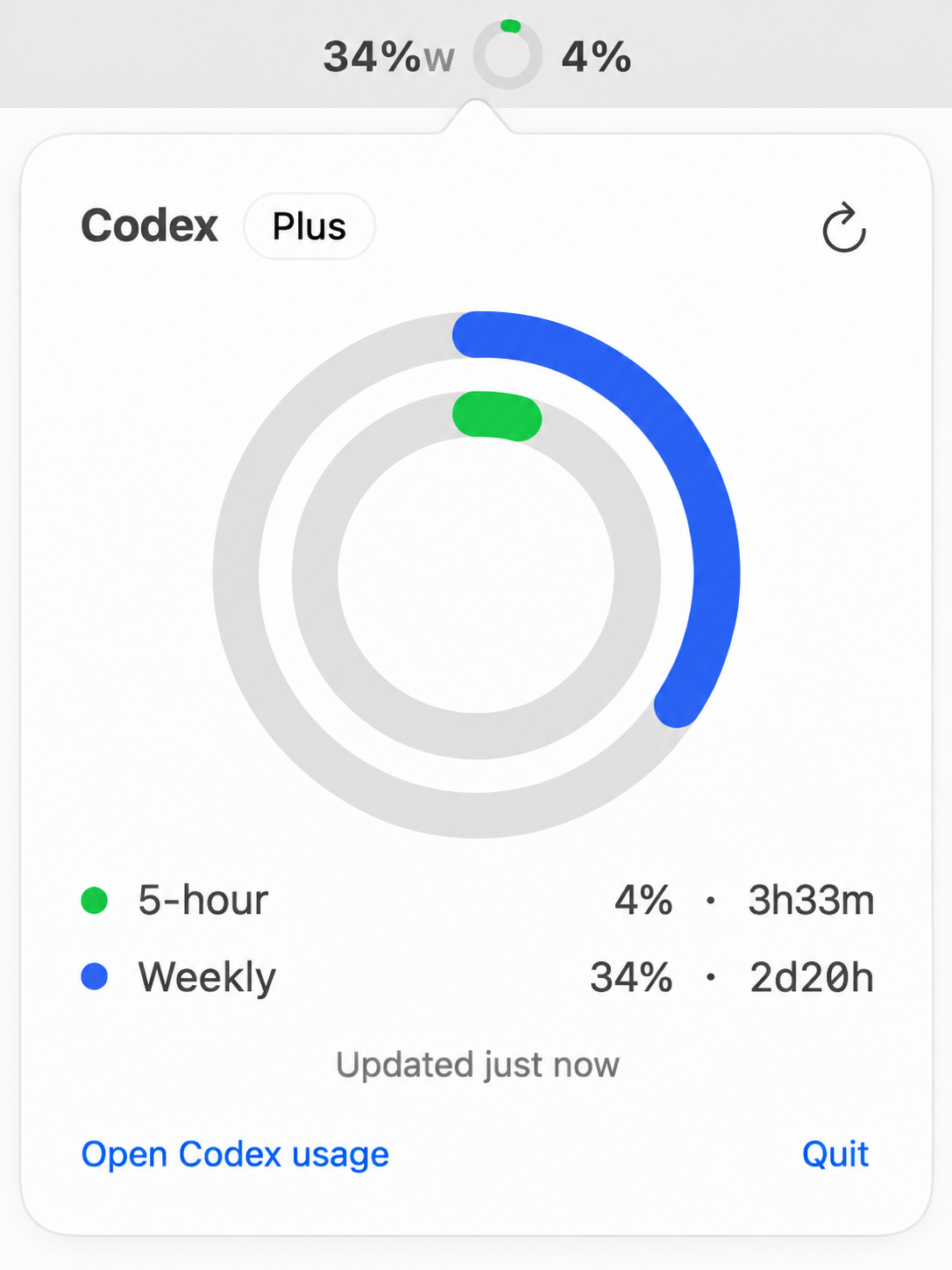
It does one job
5-hour limit
See the short-window reserve you have left before Codex needs time to reset.
Weekly limit
Open the popover for your weekly reserve, remaining percentage, and reset time.
Quiet until useful
CodexReserve refreshes quietly in the background, shows reset times when you need them, and gives you a chime as your limits run down.
At a glance. Your menu bar shows the weekly percentage, 5-hour ring, and short-window percentage.
Useful detail on demand. Hover or open the popover to see both limits and their reset times.
Low-noise alerts. A simple sound lets you know when your reserve crosses important thresholds.
Built like a Mac app
CodexReserve is written in Swift with SwiftUI and AppKit. It is small on purpose, with no framework pile hiding behind the menu bar.
No Electron. No web view wearing an .app costume. No local server.
It uses the Codex sign-in already on your Mac. There is no separate provider setup to maintain.
No historical token warehouse, spend projections, or multi-provider control room. Just the answer you came for.
The smaller question
That question deserved a two-ring answer, not another SaaS dashboard.
Get CodexReserve
Requires macOS 14 or later and Codex signed in at least once. Don't see the ring after opening? System Settings, Menu Bar, switch CodexReserve on. macOS hides new icons sometimes.
Prefer the manual route? Grab the latest DMG ↗
Mac calls it damaged on first launch? It's just unsigned. Clear it once: xattr -dr com.apple.quarantine /Applications/CodexReserve.app